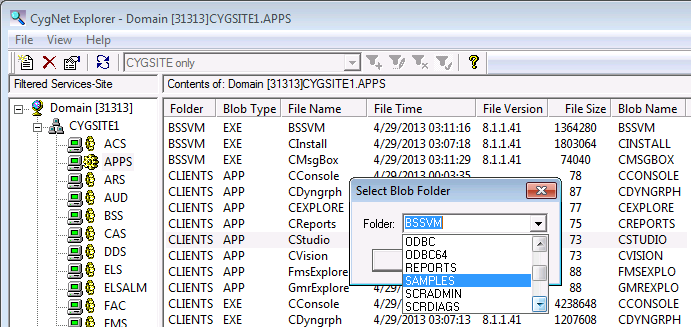
BSS files are stored in a database. There is no file structure for a BSS on the hard drive. Each file in a BSS must be associated with a BLOB folder. The file folder must be selected or specified when a file is added to the BSS.
Note: To add a new folder to a BSS, click New and type the folder name into the drop-down menu.
A folder name can be up to eight (8) characters (A-Z, 0-9, no spaces or special characters).
The BSS supports file names up to 32 characters. File extensions are limited to three (3) characters.
Note: The BSS supports files with multiple dots in the file name, for example, "9.8.7.6.txt" or "CygNet.API.Historian.dll." A file name may have zero dots, for example, "myfile.txt", or may start with a dot, for example, ".myfile.9.8.7.6.txt".
The BSS supports a Librarian mode where files in Librarian-enabled folders can be "checked-out" and "checked-in" allowing exclusive access to a file for a specific user, as identified by User ID. This feature is useful for "locking" CygNet Studio screens while editing to prevent two screen builders from working on the same BSS screen at the same time.
Whenever you edit a BSS screen in a Librarian-enabled BSS folder, CygNet Studio will automatically check out and hold that file for your exclusive use. Other users may edit the screen file, but will be prevented from saving their version of the screen, until you close (and check in) the screen. Switching from Edit mode to Run mode will also check in a file. A warning message will be displayed indicating the User ID and check out time of the file. The user is offered the option of opening the file as a new file.
Configure Librarian mode at the folder level via script (see CxScript.FileSystemObject.EnableLibrarian) or via BSS Explorer.
|
|
|

